I might as well start off this post by coming out and saying what I think straight off the bat; I don’t like January. I don’t like it at all because the thing is, I just hate the cold. I reckon it would be rather nice to just hibernate for the entire winter period just like many creatures do.
 I’m not that keen on Christmas so maybe late November would be a good time to just settle down somewhere warm and comfy, snuggle up into my duvet and perhaps wake up round about late March. I know that March can be unpredictable in terms of the weather. It’s generally windy and cold but certainly not as cold as January. Waking up in March would give me time to get my bearings before moving into April, my favourite time of year when the days are getting longer, nature is starting to revive and warmer days are coming.
January 1970
Recently while pottering about trying to sort out the tons of ‘stuff’ I seem to have accumulated over the years I came across my schoolboy diary from 1970. As this post will be published on the 18th of January, I thought I’d take a look and see what I had written. Back in 1970 the 18th was a Sunday and all I decided to record was “Watched Captains Courageous and Randall and Hopkirk”.
Randall and Hopkirk was a TV show first broadcast in 1969 through until March 1970. It was an action and adventure drama despite the slightly tongue in cheek premise. Randall and Hopkirk are private investigators but Randall is helped by his partner Marty Hopkirk who is murdered in the first episode but comes back as a ghost to help his partner find his murderer. Marty stays on and continues to help Jeff Randall for the entire series of 26 episodes. It was later remade with comedians Vic Reeves and Bob Mortimer in 2000. Personally, I prefer the original.
Captain Courageous was a film starring Spencer Tracy based on a book by Rudyard Kipling. The story follows the adventures of spoiled brat Harvey Cheyne Junior, the son of a railway tycoon. Harvey falls overboard from his father’s yacht and is saved from drowning by Portuguese fisherman Manuel Fidello played by Tracy. The boy demands to be returned home but the fishing vessel is on a three month fishing expedition and will not return early. The captain offers to sign Harvey on as a crewman until they return and under the tutorship of Manuel he begins to learn about fishing. Harvey becomes close to Manuel and is devasted when he is drowned. Returning home, he is reunited with his father as a changed person.
January 1649
This week I watched an interesting documentary about Charles the 1st. Back in January 1649 parliament was deliberating about what to do with Charles who had been defeated by the Parliamentarians. The parliament was known as the ‘rump’ parliament because any MP who was suspected of supporting the king was prevented from entering. Parliament voted to put the King on trial but the upper house, the Lords, declined to support this and then promptly gave themselves a holiday. Parliament then went ahead without the Lords.
King Charles was put to death on the 30th January, 1649.
January 1965
Another great British leader died in January 1965, Sir Winston Churchill. Churchill was an army officer, an MP, an author and a Prime Minister. Nothing I can write in a short post, even one dedicated fully to his life can do justice to this great man’s many achievements but let’s have a go. Churchill was born at Blenheim Palace on November 30th 1874. His father was Lord Randolph Churchill, his mother Lady Randolph was formerly Jennie Jerome from the USA, the daughter of Leonard Jerome, an American businessman.

Churchill began his military career with the 4th Hussars but later left to become a politician. He failed to be elected as MP for Oldham then went to South Africa to serve as a journalist. He was captured by the Boers and later escaped which brought him much publicity which must have helped him when he stood again as a Conservative candidate for Oldham in the 1900 general election. This time he emerged as the victor. Later Churchill became a Liberal and later still moved back to the Conservatives. The years between 1929 and 1939 became Winston’s Wilderness years when he was out of office but began to warn against the rise of the Nazis. On the 13th December he was visiting New York when he was knocked down by a car which incidentally inspired my story Timeline, the title story of my new book.
Churchill’s warnings about Nazi Germany proved correct and with the outbreak of war in 1939 he returned as a government minister and later succeeded Chamberlain as Prime Minister when Chamberlain was forced to resign as the Labour party declined to serve in a national government headed by him.
As well as serving as a politician, Churchill wrote many books and one, My Early Life, was made into a film, Young Winston. I’ve always loved that film but it annoys me no end when I see it on TV these days as for some reason a final scene in which Churchill falls asleep and dreams of meeting his late father, is cut out.
January 2003
Looking at my diary for 2003 I see I was suffering with a sore neck that January. I was off sick from work and my boss was not happy. While off sick I had written a screenplay and wasn’t sure what to do with it. I was living in Merseyside at the time so decided to send it to Phil Redmond, the producer of the Liverpool soap Brookside, thinking that he might like it enough to either give me some advice or even a job on the writing team. I had sent it with a self-addressed return envelope and guess what, I received it back in the post only a few days later minus any sort of feedback or a job offer.
January 1986
In January 1986 the spacecraft Challenger was ready to be launched into space. It was a unique mission in that school teacher Christa McAuliffe had been selected to broadcast lessons from space. The flight was the 25th shuttle mission and the 10th flight for Challenger itself. The mission was originally scheduled for July but the date was put further and further back until NASA finally decided on the 28th January. The temperature of -8 degrees was a record low for a shuttle launch and many engineers were unhappy. Their cause for concern was the shuttle’s O ring seal in a joint between the shuttle and the solid rocket boosters. In cold temperatures it was thought that the rubber rings might not be flexible enough to seal the joints. Sadly they were correct. Hot pressurised gas was released which burned into the external propellant tank which then exploded 73 seconds into the flight. All the astronauts were killed.
January 2025
To finish on a somewhat lighter note, today as I write this I was in Manchester. I decided I needed a few items of shopping so I walked into the nearby civic centre. It was still pretty cold despite the melting snow so I wrapped up well. I had a woolly jumper on, my anorak and a baseball cap and gloves. Happily, it wasn’t quite as cool as I had originally thought. At the civic I popped into the cheap bookshop there but after a few minutes I realised that it was far too hot and I had to get out. Instead of walking further to Asda, I popped into the Iceland store a few hundred yards away from the book shop. After about 5 minutes I realised that in there too, the management had for some reason decided to crank the heating up to a level usually experienced in a Sahara Desert heatwave.
I grabbed the few things I wanted then headed for the till. Sweat was running down my face but there were two people at the till, both with enough shopping to last the entire winter. I opened my jacket and then heard some wonderful words, “can you come this way please?” Yes, a new till was opening up and me with my 4 or 5 items was through and soon out into the open air.
January, don’t you just hate it?
 I first started posting in 2014 and that year I managed to get 2341 views which I was pretty pleased about. If I had also managed to sell 2341 copies of any of my books, I would have been even more pleased but hey, that’s another story.
 Looking back I now wonder whether that guy was actually right. 649 blog posts, times my average word count per post: That comes to over 700,000 words. I could have written another book and to be fair, that was part of the idea behind
  It seems like only yesterday that I was writing a blog post about looking back at 2023 and now, here I am looking back at 2024. I don’t intend to cover everything that happened to me in 2024 but just to mention a few things of interest and of course, a few of my own blog posts.
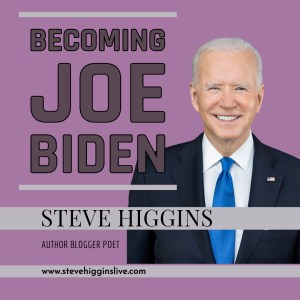 In September after a disastrous debate with Donald Trump, US President Joe Biden began to realise what everyone else was thinking, namely that perhaps he was getting a little too old to be the president and so he stepped down as a candidate in favour of vice president Kamala Harris. That inspired me to write a little quirky fantasy post called
  It took me three attempts to pass my driving test. Still, it was difficult for me. We had no family car. I doubt if we could have afforded one even if my father had been able to drive. That meant that when I had my driving lesson of just an hour a week, by the time the next week came around I was almost back to square one again. I failed my test twice and then bought a motor bike. It was a Honda 125cc trail bike. I loved it but the day it was delivered my brother and I went to see
  It was actually a pretty eye catching car for a three wheeler. It had no doors but the roof lifted up to gain access and the side windows were plastic held on by Velcro. I always remember bringing it home and showing it off to my family with a certain amount of pride and my Dad looking at it and saying “How are we all going to get into that?” Perhaps he thought I was going to take us all away for a holiday!

 OK, let’s get started. The first thing to remember about blogs is that a big wall of text tends to put off readers so it’s a good idea to break up the text with a few pictures. What kind of pictures though? Well in the blog posts themselves I’ll use either my own photos or use an online stock photo site like



 trickier. First the user has to upload pictures of the person you want to make an AI model of, in this case me, then you add a prompt to describe the picture you want. On Nightcafe and many other AI sites too, you can upload a picture and develop it. On Freepik you can hit the reimagine button and a different version of your picture will appear.
 Both of the images above were supposed to say ‘New blog post out now!’ Oh well.
 OK, what AI image can I create now for my next social media post? What about an art gallery, perhaps seen from above? Light streams in dramatically from windows off to the side. It’s a wide angle shot, looking down. Art lovers are admiring a new poster advertising my blog. It should turn out something like this . .
 This week I thought I’d continue with my theme of
  Once again, Liz and I are travelling across France in our little motorhome, looking for restaurants to eat at and lakes to swim in. The weather hasn’t been great but at least it hasn’t been cold, although a little less cloud and a little more sun would have been nice.
 The two spacecraft are of course made by different companies but even so I thought that this particular issue was addressed during the Apollo program. If you have ever seen the movie Apollo 13 you will know that a small explosion on the service module meant that the crew had to move into the lunar excursion vehicle in order to conserve power and oxygen in the command module.
 It’s always good to pick up my iPad and see that my scheduled post has been successfully posted but the next task is to start thinking about a new one for next week. What can I write about? Has anything interesting happened to me? Have I read a great book or watched something good on TV? No? Well, that’s me up the creek without a paddle then.
 Once, many years ago, I had a cigarette vending round. I visited pubs in Merseyside, serviced their ciggy machines, filled them with cigarettes and took away the cash. A lot of the time I was in a hurry to get going to the next site. Even so, I would never turn down a cuppa and so many times I would have to drink a steaming hot cup of tea quickly so I could move on. The faster I worked, the earlier I finished and I very soon developed the knack of drinking hot tea,
 If the weather stays warm we might stay outside for a barbecue and these days rather than getting the coals ready, lighting them three or four times before they finally get going and getting my favourite shorts covered in coal dust and grease, we nowadays use our little portable gas barbecue. Perhaps I could write a barbecue post? Well, I could probably write a barbecue section of perhaps another foodie post but an entire barbecue post? Probably not.
 Olivia de Havilland was one of the great film stars of Hollywood’s golden age. Amazingly she died only fairly recently in 2004 having lived to be 104 years old. She appeared in eight classic films with fellow star Errol Flynn, including The Adventures of Robin Hood in which she played Maid Marian to Flynn’s Robin Hood. Flynn claimed in later years to have been in love with Olivia but nothing ever happened between the couple, or so they both said.
 Letters from an Unknown Author!