Don’t you just hate TV adverts? I certainly do. There are those times when a TV advert comes in useful I suppose. Perhaps when you are watching a good film and you need to make a cup of tea or pop to the toilet. These days in the hi tech world of TV, most people are able to pause live TV and do those things anyway. I wouldn’t mind if the TV adverts were actually worth watching but these days of course they aren’t. Anyway, here are 6 classic TV ads of yesteryear that I think are rather good. Here we go . .
1.
This is an advert for Strongbow cider featuring Johnny Vaughn, who you might remember as fronting the Channel 4 breakfast show many years ago, and Jerry Hall. Jerry was an American model and was once upon a time involved with Bryan Ferry and then Mick Jagger. It’s a fun advert that has always made me laugh.
2.
A particular favourite of mine is the Ford Puma advert from 1997 featuring Steve McQueen. McQueen of course passed away from cancer in 1969 so how did he feature in the ad? Well, filmmakers shot footage of the Ford Puma in modern San Francisco and digitally inserted McQueen into the driving seat using footage from his 1968 film Bullitt. The result was a stylish short TV ad recreating a scene from the original feature film.
3.
An old TV advert I always used to enjoy involved an old guy trying to trace a copy of a secondhand book; Fly Fishing by J R Hartley. He eventually finds a copy and the book seller asks his name. “J R Hartley” he replies. What were they advertising? Yellow Pages! Strangely enough some bright spark – actually author Michael Russell – produced a spoof book; Fly Fishing by J R Hartley which became a best seller and prompted two additional sequels.
4.
Probably the funniest classic TV ads are the ones with Leonard Rossiter and Joan Collins which are promotions for Cinzano. They actually made 10 TV commercials between 1978 and 1983 which all ended with a glass of Cinzano getting spilled all over Joan.
Rossiter had a successful theatre career but is best remembered for his portrayal of the seedy landlord Rigsby in TV’s Rising Damp, still shown regularly on UK TV. Joan Collins has had a long career in TV and films including a spell in the USA starring in the TV series Dynasty. This year, 2025, she is due to portray Wallis Simpson in a new film production. Leonard Rossiter died in 1984 aged 57.
5.
A great advertising series were those for Boddingtons beer. I used to love a pint of ‘Boddies’ as we used to call it but then the brewery was taken over by another company (Whitbread, I think) and the Boddingtons bitter they produced was really not like the original Boddingtons at all. Anyway, back in the 1990s a series of adverts were produced starring Melanie Sykes speaking in a broad Manchester accent.
6.
My particular favourite Boddingtons ad was this one that starts off in Venice but ends up somewhere in Manchester.
7.
Bolton comedian Peter Kaye featured in a series of ads for John Smiths beer. Can’t say I was that keen, then or now, on John Smiths beer but the adverts were good.
8.
A great favourite for many people were the puppet ‘aliens’ used in an advert for Smash which was a powdered version of mashed potatoes. You just added liquid I presume but personally, I’m happy peeling and boiling my potatoes to make mash just as I have always done.
9.
In 2018 Elton John featured in a Christmas commercial for top end store John Lewis. According to Wikipedia there is a regular Christmas ad for the store every year. I’ve clearly missed the others but I always thought the Elton John one was pretty special.
10.
I’m going to finish with this one advertising another beer, this time Heineken. Bryan Pringle plays a sort of latter day Professor Higgins trying to teach a very well spoken lady, the exotically named Sylvestra le Touzel, to speak cockney. Bryan Pringle featured in a number of films and numerous sitcoms from the 70s to the 90s. He died in 2002.
What were your favourite TV ads?
Those were my 10 TV ads but just before I go to press I thought I’d add one final one. I know I said earlier that modern ads are just not as good these days but I recently spotted this one in which Meg Ryan and Billy Crystal were asked to recreate that famous scene from When Harry met Sally. (I’ll have what she’s having!)
What to do next: Here are a few options.
Share this post on your favourite social media!
Hit the Subscribe button. Never miss another post!
I am a great film fan as regular readers will know, particularly classic films. I do occasionally watch a film at the cinema but generally I reckon I am really your regular couch potato type of guy who tends to watch films in the comfort of home with a large cup of tea and perhaps a corned beef sandwich nearby.
Most people will have the experience of settling down to watch something good on the TV only to find that the film you have waited for is in fact, a load of old cobblers. What can you do but flip through the channels and try and find something else to watch. The big problem there is if you are watching during the evening, most films start at 9pm so if you have to flip over twenty minutes into a dud film, you’ll have missed the first twenty minutes of the good film that started over on some other channel.
Yes, it can be a hard life for us dedicated couch potatoes, that’s why I like to have a good DVD on standby to rescue the evening if things go sadly wrong.
According to Wikipedia: globally, film production varies significantly by country and year, but in 2023, China produced nearly 780 feature films, while the UK saw 207 films go into production, and the US and Canada saw 569 movies released.
To be honest, looking at those figures it’s hard to understand why a bad film actually gets made. Look at the process a bad film has to go through. Someone has an idea for a film, then they either write a screenplay or pay someone to write one. The screenplay comes to the attention of a producer and he says something like “I bet Brad Pitt would be good in the lead, and, what about Jennifer Anniston for the female lead”.
Scripts are sent out, a budget is raised, directors, cameramen, sound people, set designers and all manner of people come on board. The film is made and released. The critics go to see it and think, wow, this film stinks. Nobody comes to see it and a few weeks later it’s suddenly on Sky cinema with someone hired to write a whole lot of (lying) complimentary stuff about it to make you watch it.
People do watch it, realise it’s bad and twenty minutes later they change channel and are now watching a re-run of Star Trek that was made in 1968. Why didn’t someone way back down the line say ‘hang on, this is rubbish, let’s scrap it and film something else?’
Of course, one man’s Oscar winner is another man’s straight to DVD seriously bad film.
Here’s the crazy thing though, sometimes those bad films are so bad that you actually like them. Anyway, for this week’s blogging entertainment, I thought I’d list a few examples of rubbish films that I kind of enjoy.
Uncle Buck.
Uncle Buck is a complete load of old tosh but I just seem to be drawn to it like a moth to a flame. Never seen it? Really? OK it’s a sort of variant on the film Home Alone and in fact one of the characters is played by that kid from the Home Alone films, Macauley Culkin.
In this film a couple have to leave home because the wife’s father has had a heart attack. Who can they get to babysit the three kids? No one is available so the no-good bum of a brother-in-law is roped in, you guessed it, Uncle Buck.
Uncle Buck is played by the late John Candy and he has to contend with kids he doesn’t even know including, as well as young Mr Culkin, two screen sisters, one of them a teenage girl with a big attitude problem. She is completely embarrassed by her uncouth uncle and his smoke screen producing old banger automobile and even though the film is just a notch above rubbish, it’s actually quite fun in parts.
Buck sorts out ‘Bug’, the teenage girl’s cheating boyfriend and in doing so finally makes friends with his teenage niece. Uncle Buck is a great film to watch when you’re tired and not really paying attention and I always get the feeling it was written by a sort of committee of writers. (Probably the same committee that wrote Home Alone and Three Men and a Baby and so on.)
The thing about Uncle Buck is that the star, John Candy is actually pretty funny (in parts) and there are some actual funny elements to the film. Believe it not, even though I once hated this film, I’m beginning to warm to it.
Robin Hood, Prince of Thieves
There have been numerous film versions of the Robin Hood legend and for me the stand out one is the Errol Flynn version with Errol as Robin, Olivia De Havilland as Maid Marian and Basil Rathbone playing the villain. In this rather dire version made in 1991, Kevin Costner plays the legendary English hero with an accent that would not be out of place on the streets of New York.
Costner, as the noble Robin of Loxley, returns from the crusades to find that his father (not a bad performance by British favourite Brian Blessed) has been hung and his home laid to ruin by the Sheriff of Nottingham, played in a villainous but slightly camp way by Alan Rickman, whose performance was universally praised. Robin was accompanied by Azeem, a Muslim who feels he has to repay Robin for saving his life.
The film featured the hit single Everything I Do, I Do it For You sung by Bryan Adams and also had a small cameo from Sean Connery playing King John. The exteriors were shot in the UK and one particular location was at Sycamore Gap, just by Hadrian’s Wall in Northumberland. The tree used in the sequence became known as the Robin Hood tree which featured in the news in 2023 when it was cut down by vandals.
The film does start out fairly seriously with Robin escaping from capture in the holy lands and then making his way back to England. Alan Rickman’s performance later in the film gives the story a lighter sort of tone and although I’ve always preferred other versions of the Robin Hood legend, over the years I’ve actually begun to like this one.
Ferris Bueller’s Day Off.
So what have we here? A young American lad (Matthew Broderick) decides to have a day off school by pretending to be sick. He calls over his hypochondriac friend Cameron (Alan Ruck) and gets him to call their school with the fake news that his girlfriend’s grandmother has died so she (Mia Sara) can also get a day off and the three decide to have a little fun by going out in Cameron’s father’s beloved Ferrari.
The headmaster of the school (the Principal as the Americans call them) knows something is up and is determined to catch Ferris in the act of truancy.
The whole thing is a load of old rubbish but like the other two films mentioned above, it has somehow wormed its way into my affections.
The Vikings
I thought I might finish with that classic rubbish film, The Vikings. The Vikings is a 1958 epic produced by Kirk Douglas who also starred in the film. Douglas and Tony Curtis star as Viking half brothers and if my memory serves me right, they don’t actually know they are brothers. They do a lot of raiding and pillaging over in England and it turns out Tony Curtis might be the heir to a Kingdom in England and Kirk Douglas might be the heir to the Viking leadership. To be honest I’ve never been really sure what the score is even after looking up the film on Wikipedia but the finale ends with Kirk Douglas about to bump off Tony Curtis but hesitates for a moment having been told Tony Curtis is actually his half brother and then during that second of hesitation Curtis manages to bump off Kirk, or was it the other way round?
Anyway, the whole film is a mildly entertaining load of old tosh and my brother and I used to watch it as children and try to imitate the rather catching musical theme.
Once again, despite this being a completely dire film, I always tend to watch it for reasons completely unknown to anyone, especially myself.
What bad films do you enjoy?
What to do next: Here are a few options.
Share this post on your favourite social media!
Hit the Subscribe button. Never miss another post!
I might as well start off this post by coming out and saying what I think straight off the bat; I don’t like January. I don’t like it at all because the thing is, I just hate the cold. I reckon it would be rather nice to just hibernate for the entire winter period just like many creatures do.
I’m not that keen on Christmas so maybe late November would be a good time to just settle down somewhere warm and comfy, snuggle up into my duvet and perhaps wake up round about late March. I know that March can be unpredictable in terms of the weather. It’s generally windy and cold but certainly not as cold as January. Waking up in March would give me time to get my bearings before moving into April, my favourite time of year when the days are getting longer, nature is starting to revive and warmer days are coming.
January 1970
Recently while pottering about trying to sort out the tons of ‘stuff’ I seem to have accumulated over the years I came across my schoolboy diary from 1970. As this post will be published on the 18th of January, I thought I’d take a look and see what I had written. Back in 1970 the 18th was a Sunday and all I decided to record was “Watched Captains Courageous and Randall and Hopkirk”.
Randall and Hopkirk was a TV show first broadcast in 1969 through until March 1970. It was an action and adventure drama despite the slightly tongue in cheek premise. Randall and Hopkirk are private investigators but Randall is helped by his partner Marty Hopkirk who is murdered in the first episode but comes back as a ghost to help his partner find his murderer. Marty stays on and continues to help Jeff Randall for the entire series of 26 episodes. It was later remade with comedians Vic Reeves and Bob Mortimer in 2000. Personally, I prefer the original.
Captain Courageous was a film starring Spencer Tracy based on a book by Rudyard Kipling. The story follows the adventures of spoiled brat Harvey Cheyne Junior, the son of a railway tycoon. Harvey falls overboard from his father’s yacht and is saved from drowning by Portuguese fisherman Manuel Fidello played by Tracy. The boy demands to be returned home but the fishing vessel is on a three month fishing expedition and will not return early. The captain offers to sign Harvey on as a crewman until they return and under the tutorship of Manuel he begins to learn about fishing. Harvey becomes close to Manuel and is devasted when he is drowned. Returning home, he is reunited with his father as a changed person.
January 1649
This week I watched an interesting documentary about Charles the 1st. Back in January 1649 parliament was deliberating about what to do with Charles who had been defeated by the Parliamentarians. The parliament was known as the ‘rump’ parliament because any MP who was suspected of supporting the king was prevented from entering. Parliament voted to put the King on trial but the upper house, the Lords, declined to support this and then promptly gave themselves a holiday. Parliament then went ahead without the Lords.
King Charles was put to death on the 30th January, 1649.
January 1965
Another great British leader died in January 1965, Sir Winston Churchill. Churchill was an army officer, an MP, an author and a Prime Minister. Nothing I can write in a short post, even one dedicated fully to his life can do justice to this great man’s many achievements but let’s have a go. Churchill was born at Blenheim Palace on November 30th 1874. His father was Lord Randolph Churchill, his mother Lady Randolph was formerly Jennie Jerome from the USA, the daughter of Leonard Jerome, an American businessman.
Churchill began his military career with the 4th Hussars but later left to become a politician. He failed to be elected as MP for Oldham then went to South Africa to serve as a journalist. He was captured by the Boers and later escaped which brought him much publicity which must have helped him when he stood again as a Conservative candidate for Oldham in the 1900 general election. This time he emerged as the victor. Later Churchill became a Liberal and later still moved back to the Conservatives. The years between 1929 and 1939 became Winston’s Wilderness years when he was out of office but began to warn against the rise of the Nazis. On the 13th December he was visiting New York when he was knocked down by a car which incidentally inspired my story Timeline, the title story of my new book.
Churchill’s warnings about Nazi Germany proved correct and with the outbreak of war in 1939 he returned as a government minister and later succeeded Chamberlain as Prime Minister when Chamberlain was forced to resign as the Labour party declined to serve in a national government headed by him.
As well as serving as a politician, Churchill wrote many books and one, My Early Life, was made into a film, Young Winston. I’ve always loved that film but it annoys me no end when I see it on TV these days as for some reason a final scene in which Churchill falls asleep and dreams of meeting his late father, is cut out.
January 2003
Looking at my diary for 2003 I see I was suffering with a sore neck that January. I was off sick from work and my boss was not happy. While off sick I had written a screenplay and wasn’t sure what to do with it. I was living in Merseyside at the time so decided to send it to Phil Redmond, the producer of the Liverpool soap Brookside, thinking that he might like it enough to either give me some advice or even a job on the writing team. I had sent it with a self-addressed return envelope and guess what, I received it back in the post only a few days later minus any sort of feedback or a job offer.
January 1986
In January 1986 the spacecraft Challenger was ready to be launched into space. It was a unique mission in that school teacher Christa McAuliffe had been selected to broadcast lessons from space. The flight was the 25th shuttle mission and the 10th flight for Challenger itself. The mission was originally scheduled for July but the date was put further and further back until NASA finally decided on the 28th January. The temperature of -8 degrees was a record low for a shuttle launch and many engineers were unhappy. Their cause for concern was the shuttle’s O ring seal in a joint between the shuttle and the solid rocket boosters. In cold temperatures it was thought that the rubber rings might not be flexible enough to seal the joints. Sadly they were correct. Hot pressurised gas was released which burned into the external propellant tank which then exploded 73 seconds into the flight. All the astronauts were killed.
January 2025
To finish on a somewhat lighter note, today as I write this I was in Manchester. I decided I needed a few items of shopping so I walked into the nearby civic centre. It was still pretty cold despite the melting snow so I wrapped up well. I had a woolly jumper on, my anorak and a baseball cap and gloves. Happily, it wasn’t quite as cool as I had originally thought. At the civic I popped into the cheap bookshop there but after a few minutes I realised that it was far too hot and I had to get out. Instead of walking further to Asda, I popped into the Iceland store a few hundred yards away from the book shop. After about 5 minutes I realised that in there too, the management had for some reason decided to crank the heating up to a level usually experienced in a Sahara Desert heatwave.
I grabbed the few things I wanted then headed for the till. Sweat was running down my face but there were two people at the till, both with enough shopping to last the entire winter. I opened my jacket and then heard some wonderful words, “can you come this way please?” Yes, a new till was opening up and me with my 4 or 5 items was through and soon out into the open air.
January, don’t you just hate it?
What to do next: Here are a few options.
Share this post on your favourite social media!
Hit the Subscribe button. Never miss another post!
Ok, here we go. It’s 2025 and it’s time to kick off with my first proper blog post of the New Year: I settle down in front of the fire, crank up my trusty old laptop. The blank page glares at me as usual; what to write about today?
I first started posting in 2014 and that year I managed to get 2341 views which I was pretty pleased about. If I had also managed to sell 2341 copies of any of my books, I would have been even more pleased but hey, that’s another story.
Last year in 2024 I managed to accumulate a total of 14,182 visits which is pretty fantastic although I’m sure there are plenty of blogs out there that have an even larger readership. My most read post has been Manipulating the Image, a look at various aspects of photo manipulation. I’ve tried a couple of follow up posts on the same subject but that post, actually from 2022, continues to boost my readership. Why is it so popular? I really don’t know despite looking at things like subject matter, keywords, search engine optimisation and so on, I still don’t understand its popularity.
A lot of blogs on the internet seem to focus on a particular subject. Things like cycling, classic films or canal boating for instance. Those blogs always know where the next post is coming from; another cycling trip, another classic film review or canal journey. As there is no actual focus on this blog it’s sometimes hard to hone in on a new subject although generally, I stick to books, films and my little old life. Plus the occasional plug for my three books.
I have tried to occasionally write one of those ‘how to’ blog posts and impart some of my blogging knowledge to my readers and fellow bloggers but I reckon those sort of posts might be of interest only to my fellow writers. One of my previous posts was about three ways to write a poem (click here for the video version) and when it comes down to it, I think those three ways could also be used to write a blog post.
The first way was the easy way, a flash of inspiration; a great idea comes to you out of the blue and hits you square in the face and you are off and running. That is probably the best way to write a post or a poem. The second way is when something happens to inspire you. In my poetry example I wrote about a time when I returned home and went into the kitchen to make a cup of tea. While I was waiting for the kettle to boil I looked out of the window and watched the cat that belonged to the house opposite make its way across their lawn, take a good look around and then settle down under a small young tree and go to sleep in the afternoon sun.
Later subdued screams and cries were heard over the way and it turned out that the lady of the house had returned home to find her cat was sadly dead and it seemed to me that I had seen the cat resign itself to its fate, even taking a last look around before slipping away to start the next of its nine lives. Inspired by these events, shocked even, I went away and began a poem.
The third and final way of writing a poem or indeed any kind of creative work is an obvious way known to all professional writers everywhere and that is simply hard work. Unlike mere amateurs like me, the professional has no choice but to sit down and get on with things, firm in the knowledge that at a certain time their editor or publisher or Hollywood producer will be asking for that article, blog, book or screenplay.
I too have my deadline, that of 10:00am on a Saturday morning and sometimes even that is hard to work to. Sometimes I have finished a post on Friday afternoon and have passed it over to my proofreader for a quick final check, confident that all will be well for Saturday and then later find that I have forgotten to hit the schedule button or even worse, scheduled the post for the wrong day.
Coming up with a new blog post week after week just seems to get even harder and here I am on my 649th post. Six hundred and forty-nine posts! I suppose to those of you who have been writing for years, 649 may not be such a big milestone but for an amateur writer like me, it’s pretty special. The crazy thing is this, looking through my diary from a few years ago I see I was commenting on one of those online forums, praising WordPress and blogging and someone commented that if I hadn’t been blogging I might have finished my second book!
Looking back I now wonder whether that guy was actually right. 649 blog posts, times my average word count per post: That comes to over 700,000 words. I could have written another book and to be fair, that was part of the idea behind Timeline, to utilise all those old forgotten posts in a new collection of stories and blog posts. Perhaps I could have written another novel. But then again, it’s not just the words, it’s the idea behind the words, the creative thrust of a book that’s important. Get that and the book should just follow. Still, that fellow had a point. Should I give up my blog posts in favour of my book? Well, if that would guarantee me producing a book then yes, great! The thing is, it’s not a lack of words that have kept my sequel to Floating in Space in a constant state of abandonment. It’s really my own laziness.
Laziness, fear of the blank page, procrastination, they are all enemies of the writer. The only way to overcome them is just to keep on writing. If you are writing a blog post and it won’t come, switch to something else; that other post you had on the back burner or that script you had started a few years back. A great deal of my work is done like that, in small bursts of activity. A while back I had an idea for a film screenplay and worked away creating the first quarter of the work. Later I decided to turn it into a book and as I worked with the text, adding in all sorts of detail that wasn’t in the original script, the story came alive to me in a different way and I started to bring something new to the book version. Don’t hold your breath though, it’s still far from completion.
Oh well. Here’s another script story. Ages ago when I first met Liz and we began socialising in St Annes, we started frequenting Wetherspoons there. It’s a pretty friendly pub and we made friends with quite a few people. There was Big Steve who I wrote about in another post but we also met two guys, Craig and Danny (as usual, names have been changed to protect the innocent!) They were brothers in law who were married to twin sisters and they both owned and ran small hotels in St Annes. The hotels were on the same street opposite each other and the sisters were identical twins so their whole scenario seemed to scream ‘sitcom’ to me.
I used to ask them what funny things had happened to them in their work as hoteliers and being married to identical women. ‘Loads of things’ they would always say but I could never get any details. Anyway, when I had a quiet moment, I started off a pilot sitcom script using their situation, rival hoteliers married to identical sisters. It’s nothing brilliant but mildly amusing and it sat in my documents folder for a long time. Every now and again when I slipped into that blank page syndrome, I’d pull out the script and add a few more pages.
One day I noticed on one of my occasional visits to the BBC Writersroom page that a window of opportunity was coming up for a sitcom script. The BBC, rather than accepting ‘spec’ scripts all year round open a small ‘window’ of a few weeks where you can submit your work in certain areas, sometimes a film script or a play, sometimes drama, other times situation comedy. I went back to my sitcom script, pulled it quickly into some sort of shape, added an ending and bunged it off to the BBC. Then I sat down and waited, glued to my inbox, awaiting the BBC email that may or may not even arrive.
Of course, I do wonder what might happen if the BBC actually decided that my sitcom script is worth making into a pilot? Imagine if the BBC said “we’re going to make a twelve episode series!” Imagine me trying to write twelve episodes when it took me months to write one 25 minute episode! Even the great Spike Milligan had a nervous breakdown writing the numerous scripts of the radio show ‘The Goon Show’. Of course, someone at the BBC could be reading this very post. Did I say something about 12 episodes? Would I be able to write 12 episodes?
Of course! What’s 12 episodes to a top writer like me? I might even start episode 2 straight away. Well, straight away after a cup of tea. And maybe a sandwich. Better make it first thing tomorrow. Well, tomorrow afternoon might be better . .
What to do next: Here are a few options.
Share this post on your favourite social media!
Hit the Subscribe button. Never miss another post!
I thought I’d write about cars this week. Then I added a story about my old motorbike and then one about my Mercedes van so my original title of Car Stories went out of the window. A quick change of title to Drive Time and so, let’s get started.
It took me three attempts to pass my driving test. Still, it was difficult for me. We had no family car. I doubt if we could have afforded one even if my father had been able to drive. That meant that when I had my driving lesson of just an hour a week, by the time the next week came around I was almost back to square one again. I failed my test twice and then bought a motor bike. It was a Honda 125cc trail bike. I loved it but the day it was delivered my brother and I went to see Paul McCartney and Wings at the Free Trade Hall in Manchester and the two young lads who came to deliver it were unable to give me the starter lesson they had promised.
That meant many weeks bumbling about on my own in an effort to learn how to ride a motorcycle. I knew the basics, in theory, and I used to ride out of the estate, turn left and keep going left until I ended up back at home. Now I think about it, I had a number of scary escapades learning to ride that bike. Anyway, when I passed my motorcycle test that enabled me to drive a three wheeler car so I sold the bike and bought a three wheeler. I was able to build on the lessons from my instructor by practising in my little car until I finally passed my test.
I’m probably pushed to tell you the registration number of my current car but PDB 71M, the VRM (Vehicle Registration Mark) of my Bond Bug, my very first car, is still firmly anchored in my old memory bank. The Bond Bug was a sporty little three wheeler car and as I mentioned above, I could drive the Bug on my motorbike licence.
It was actually a pretty eye catching car for a three wheeler. It had no doors but the roof lifted up to gain access and the side windows were plastic held on by Velcro. I always remember bringing it home and showing it off to my family with a certain amount of pride and my Dad looking at it and saying “How are we all going to get into that?” Perhaps he thought I was going to take us all away for a holiday!
Still, we had some nice times, me and the Bond Bug but then one cold and snowy Christmas I decided to chance going out to a Christmas party in the car even though it was losing coolant. I topped it up with water and went off for a night of Christmas cheer. I walked home sensibly, I might add, but when I returned the next day I found that the car had frozen overnight and it ended up having to have an engine rebuild. That was a pretty expensive night out! Later when I passed my driving test I got myself a proper car.
I’m pretty happy with my current car generally. It’s a Skoda Scout with 147 thousand miles on the clock. But even so, it has never let me down.
My previous car was a Renault Megane convertible and I used to like being just a bit of a poser, driving round when it was sunny with the roof down and looking generally pretty cool what with my leather seats and my shades but you do get those days when things go wrong. I remember once setting off for work, top down and shades on and then just as I joined the M6 motorway the sun disappeared behind a mass of rain clouds and soon it was pouring down. Luckily I managed to get to the services and pop the roof back on.
I always wanted to take the Renault over to France and tour the Loire with the top down. Sadly the roof folded into the boot which meant that there was no where to store the gallons of French wine we tend to bring back to the UK. Pity!
Back in the 1990’s I used to have a Mercedes. Actually it was a Mercedes Sprinter Van and it wasn’t mine although it was for my use pretty much exclusively. I worked for a cigarette company and the van was a company vehicle which I used on my round, filling cigarette machines in Liverpool and collecting their cash takings.
Liverpool could be a dangerous area to be driving about with a van full of cigarettes and cash so I tended to start work early. The cleaning staff in plenty of the pubs in my area of Liverpool started work early so I used to visit them first. In some of them I went in, filled the machine, extracted the takings and gave it a quick clean before heading for my next pub. My busiest day was in Huyton. In one of the pubs the cleaners usually stopped for tea and crumpets about 11 and when I got to know them the head cleaner, a lady called Marge, asked me to give her a call when I was on my way so I’d arrive just at the right time. I used to spend ages in that pub, chatting, drinking tea and munching on toast or crumpets.
It always used to be that the top prize on a TV gameshow, especially in the heyday of the game show in the 80s, was a car; a brand new top of the range family car. The motor car is probably one of the great status symbols of our time and also one of those things that give us unprecedented freedom, certainly compared to our ancestors. Turn the clock back to the 1950s. If people wanted to get out and about and enjoy the great outdoors on a bank holiday, the only way to travel was by bus or train. Yes, public transport was crammed with people in those days, all on their way to enjoy the great British seaside destinations.
Today, we are free of all those past restrictions, no waiting for trains or buses. It’s just a simple matter to pop outside, start up the motor and you’re off. The only restriction is probably traffic congestion. How many of us spend our bank holidays stuck in some traffic jam that clogs up the roads to the holiday hotspots?
Traffic can be a nightmare in the UK but then when you consider the densely populated nature of the UK it’s hardly surprising. That’s why I just love driving on the roads of France. OK, Paris may be just like driving in the UK, if not worse but out in the country in departments like the Loire, Brittany and Burgundy the auto route and the A roads are just a joy to drive on. Forget also the drab overpriced service areas in the UK. In France it’s so nice to drive into an ‘aire’ as they call them, a lovely picnic area with toilets and picnic tables. How often have Liz and I stopped at one of these delightful places and opened our sandwiches and bottles of water to find a French couple stop at the next picnic table, cover it with a table cloth and open a hamper the size of a house complete with wine, salad, cold meats and God only knows what else.
Our motorhome parked by one of my favourite lakes in France.
It’s relatively easy in the UK to drive over to France on the ‘shuttle’. A quick trip to Folkestone, drive onto the train, handbrake on and off we chug down and under the channel. Thirty minutes later and we are driving off in Calais. Sometimes I think about my old Bond Bug and wonder if I could have made that journey in that car. Perhaps but I don’t think it would have been quite as comfortable.
Here’s one final Drive Time story. I’d had my Skoda for quite a few years and as usual it was packed with CDs. I had them in the glove box, in the doors and I had various boxes of CDs in the passenger footwell and the boot which I’d rotate every so often. One day I noticed a small slot in the front of the stereo. Was that a slot for a memory card? Yes it was! Now it just so happens that all the music I have copied and digitised I have already placed on a micro SD card for my MP3 player. I copied all that to a standard size SD card, popped it into my stereo and now I can listen to my entire music collection without changing CDs, without rotating boxes of CDs, without having the car jam packed with CDs. I was feeling pretty pleased with myself. OK, I’d have to copy all the newer CDs in my collection that I hadn’t already transferred to the SD card but even so, I still have a huge collection of music on that card, all of which I like and all advertisement free.
The only thing is, what shall I do with all those CDs now?
What to do next: Here are a few options.
Share this post on your favourite social media!
Hit the Subscribe button. Never miss another post!
I’m pretty keen on social media, not for social media itself (although it is nice to see what my friends are up to) but as a platform to plug my work, my blog posts and my books and videos. In this post I’m going to look at the impact of graphics and images and the sites I use to create them. All the links open up in a new page.
OK, let’s get started. The first thing to remember about blogs is that a big wall of text tends to put off readers so it’s a good idea to break up the text with a few pictures. What kind of pictures though? Well in the blog posts themselves I’ll use either my own photos or use an online stock photo site like Unsplash. I’ll also try and render the blog title into a graphic which I’ll also use on Facebook and X (formerly known as Twitter) to promote the post. The easiest way to do that is to use a site like Quotescover where I can just type in the post title and either my name or the name of my website.
A site I used to use was Picmonkey which a few years ago was completely free. These days it’s only available to paid users except for the app version which you can use on your phone or, like me, on my iPad. A lot of the features are unavailable to free users though and I use Picmonkey primarily to add text to a photo relevant to my post.
I’ve always liked this picture which I used on a post about my favourite music, The Soundtrack to My Life.
Another site for making graphics or pins for Pinterest is this one, Quozio. Again it’s simple and free to use, just type in a title and your name and choose a template. If you are making a quotation graphic for social media, just add the quotation and whoever said it instead. This one was a simple graphic with a clock.
When Picmonkey declined to let me make free images I had to look elsewhere to make my graphics. One site I began to use was Canva.com. I initially thought Canva was a little complicated but once I got used to it I began to make some good graphics.
Canva has a number of templates which can be personalised and a regular one I use is one for a YouTube thumbnail. What is that you might ask? Well it’s the image you see when you scroll through YouTube looking for an interesting video. A bad thumbnail can turn a viewer off watching the video and good one can pull in a new watcher.
Here are a couple of my YouTube thumbnails. My poetry videos all have a similar thumbnail, just for continuity. Click the image below to watch the video on YouTube.
This one is pretty self explanatory and takes you to my welcome video on YouTube.
Another site I’ve started to use is Adobe Express. It’s similar to Canva and again has various templates that the user can adapt and modify. A graphic I made on Adobe was from a template which I personalised. The picture of me came from Nightcafe, an AI imaging site. How does that work? Well, it creates images from a prompt, so you just describe the image you want to see in words and artificial intelligence does the rest.
How did I get a picture of myself? This is a little trickier. First the user has to upload pictures of the person you want to make an AI model of, in this case me, then you add a prompt to describe the picture you want. On Nightcafe and many other AI sites too, you can upload a picture and develop it. On Freepik you can hit the reimagine button and a different version of your picture will appear.
Sometimes I will make a picture or graphic and send it to another site to see if I can come up with a different or better version.
To make a graphic that I use on X, I added the picture of me to a graphic I had used before and removed the background. Using the animation feature I got the picture to jump into the frame and then jump out again after the text had slid in.
On my laptap I took the animation and added some sound using sound effects downloaded from Zapsplat, a site that provides music and effects for video. Here’s the resulting video.
A lot of the images I’ve created on AI are ones used to plug my blog post over on sites like Facebook and X, graphics that all say something like, ‘New Blog Post Out Now!’
This is one for a post about the Apollo 11 moon landing.
I use three main AI sites, Nightcafe, Freepik and Microsoft Designer. All three sites operate a sort of credit system whereby the user gets so many tokens to create images but after you have used your tokens, that’s it, unless you want to subscribe and pay for more. On Nightcafe, the user gets 5 tokens per day with extra tokens for various things; voting on other users creations, voting on competitions and so on. On Freepik, I’m not quite sure how things work. I’ll sign in and see I have 20 free credits, that’s one credit per picture. Even if I’ve used up my credits I can turn to the ‘reimagine’ page and produce alternative images where I usually have about 5 credits. The next time I visit, sometimes I’ll have another 20 credits, sometimes not, even so, I’ve produced some good images there.
On Microsoft Designer, you can create an image and then use it in a blog graphic or social media post where you can add text and all sorts of stuff.
To create an image you need a prompt. Here’s one I used for an image of a street poster:
A vibrant and eye-catching roadside advertising banner, announcing the release of a “new blog post “ on “www.stevehigginslive.com” The banner features a bold, modern font, with a creative design of a laptop opening up to reveal a digital world. The background is a busy city street, reflecting the urban environment where the blog post was written.
See if you can recognise the result of that prompt further down but one thing to remember is that AI images don’t always turn out the way you want them, especially when using text within the image. Here are a couple that look good but the text didn’t quite work out right.Both of the images above were supposed to say ‘New blog post out now!’ Oh well.
On Nightcafe there is now the option to make an image into a short 4 second video. Here’s one of my favourite promo pictures rendered into a gif, an animated image. The web address was added later on Picmonkey. The image prompt went like this:
Floating in a raging sea during a storm with rain hammering down, we see a bottle on its side with a message inside. The message is visible and says “New blog post out now!” Professional photography, shot on dslr 64 megapixels sharp focus 8k resolution
To finish off, here are a few of my latest graphics, all of which are out there on X in yet another attempt to liven up my posts and to bring in more readers.
OK, what AI image can I create now for my next social media post? What about an art gallery, perhaps seen from above? Light streams in dramatically from windows off to the side. It’s a wide angle shot, looking down. Art lovers are admiring a new poster advertising my blog. It should turn out something like this . .
What to do next: Here are a few options.
Share this post on your favourite social media!
Hit the Subscribe button. Never miss another post!
Our little motorhome has been fuelled and packed and it’s time to take another drive over to France. We decided to go over to France via Eurotunnel. The big drawback of course is that travelling from the northwest, it’s a helluva drive down to Folkestone. Not just the drive itself but we have to contend with the perils of the M6 and the M25, two of the UK’s busiest motorways.
What we did was take a break and stop at a place called the Bricklayers Arms in Sevenoaks. We parked up, had some food and drinks and entered the pub quiz. The next morning it was only a quick trip down to Folkestone and soon we were chugging smoothly along under the ocean and over to Calais.
We drove across to one of our favourite restaurants, Le Mas Fleuri. It’s a quiet family run place and the simple food is always wonderful. I have to say I sometimes wonder how the place survives as, certainly in the evenings, it is always quiet. Anyway, this time we were dining at lunchtime and we found that not long after sitting down, a steady stream of customers began coming in after us and soon the dining room was full. The French do love their lunches.
We left Lanzarote a few months ago fit and well after five weeks of swimming and sunning ourselves but the trip back via Jet2.com was on the most uncomfortable aircraft I have ever flown on and since then I’ve been suffering with a sore back. I went into our local doctor’s surgery and they told me that they now have a practice physio. The physio, who I’m sure was a very competent fellow, didn’t seem to feel it necessary to actually examine my back in any way but even so, he felt confident enough to recommend that I take some over the counter painkillers and undertake a series of exercises which he thought would help. I have been doing the exercises, not totally on a full time basis but I have done them, well some of them, but the pain has been gradually getting worse.
That’s perhaps not the best time to drive a motorhome over to France and it has been challenging to say the least. My back soon went from sore to very painful and from then on to some moments of intense agony. The pain started in my lower back, then after a few days migrated to my right hip and now seems to be remaining in my right leg. At one point the epicentre of the pain moved to an area in my lower back from where it sent out electrically charged bolts of pain down both legs to a point where it seemed like my legs would collapse. I’ve still got a lot of pain but recently, touch wood, I have not had any what I tend to call screaming agony attacks.
Luckily, since then I’ve tried to anticipate when the bad times will come and gulp down an appropriate amount of painkillers. The bad times usually come in threes; the first comes at about lunchtime when Liz is doing our late breakfast. (Sorry I can’t assist Liz, I’m in pain.) Secondly about 6pm to 6:30 when Liz is making tea (Sorry I can’t assist again) and lastly late on about 1am, our usual bedtime (Liz, any chance of a back rub?)
It’s difficult to deal with certain situations now, situations that previously I wouldn’t even think about. I’ve dropped my handkerchief/tissue on the floor. OK. How the heck am I going to get that? I can’t just bend over. I can’t reach down. It happened the other day in a restaurant and I had to kick it over to Liz and she managed to raise it up with her collapsible back scratcher and I just managed to reach it. Situation (only just) sorted. Other situations arise that I wouldn’t even think about. I need to have a wee but an electric shock is going through my right leg when I try to move. What can I do? Just hang on until the pain eases, I suppose. I suddenly have a new respect for disabled people,
These last few days it is my right leg that is throbbing quietly with an ache that gnaws at the inside of my thigh and makes it difficult to walk and also to sleep. Another interesting thing is that while I’ve been researching the issue over on Google and YouTube, looking for exercises that might help, a number of those mysterious things called ‘cookies’ have clearly latched themselves to my iPad because everywhere I go on the internet, I find little adverts from someone who has discovered the ‘real’ cure to back pain and sciatica.
I can download their quick self-help guide and even sign up (for a small fee) to their regular pain free back sessions and discover the ‘secret’ to a pain free life.
The other thing about this trip is the weather. It’s cold! We have been coming to this part of France and renting this same property in Parçay Les Pins for a number of years but this is the first time we have ever had to crank up the heating. Week one, pottering about in our motorhome was pretty warm and week two was a bit of a mixture, some warm and sunny days and some cold and overcast. Today as I write this it has been cold and wet.
We drove down to a local fête and vide grenier this morning. As it is a bank holiday Monday in France, we knew that the local supermarket was only opening until 12:30 so we popped in to update our diminishing cheese supply. There was no bread of course, the locals had come in early doors and removed all that but at least we had a few ‘bake it in the oven’ loaves for later and of course, some cheese.
Just round the corner there was a local fête taking place. The roads were closed off as usual but from what we could see when we arrived, the rain had caused people to pack up and only a few solitary stalls remained. OK we thought, might as well drive down to our local restaurant for lunch.
The Station Restaurant which we both love was closed so as the rain was easing off we went back to the fête to take a closer look at the few stalls remaining. We found that on the other side of the village square there were some classic cars and motorcycles, all gleaming and wet. The bar was open and also a full multi course restauration was being served. All we wanted was the usual sausage and chips takeaway and a glass of red so we looked at the classic cars and motorcycles, watched the display by the local dancers and then went back home for some bacon and eggs.
Yesterday we had a lovely swim when the clouds parted for a short while and a burning hot sun appeared. Somehow I don’t think today will be swimming weather.
As usual on holiday I always come armed with a stash of books and this year is no exception. A few of the books are ones I have dug out of a box at home and are ones I haven’t read for a while. One of them was Toujours Provence, a sequel to the successful A Year in Provence by Peter Mayle.
A Year in Provence has long been one of my favourite books. There are no gunfights or car chases. It’s a very gentle read, about the author and his wife deciding to move to Provence to live. The story of how they settle into their new home and their new country is told in a very easy going and humorous style. They have problems with their heating, they have a new kitchen built, they buy a great stone table for outdoor meals, the author describes the personalities of the locals as well as the restaurants and the wonderful meals they have there.
The follow up, Toujours Provence, is a slightly different book. There is no story linking the chapters together. Each chapter is like a short essay about all things French. Some are interesting and some are not and sadly, many fall into the latter category. One exception however is a chapter about writing that fits in totally with my own thoughts on the subject.
For most of the time, it’s a solitary, monotonous business. There is the occasional reward of a good sentence -or rather, what you think is a good sentence, since there’s nobody else to tell you. There are long, unproductive stretches when you consider taking up some form of regular and useful employment like chartered accountancy. There is constant doubt that anyone will want to read what you’re writing, panic at missing deadlines that you have imposed on yourself, and the deflating realization that those deadlines couldn’t matter less to the rest of the world. A thousand words a day, or nothing; it makes no difference to anyone but you. That part of writing is undoubtedly a dog’s life. What makes it worth living is the happy shock of discovering that you have managed to give a few hours of entertainment to people you’ve never met. And if some of them should write to tell you, the pleasure of receiving their letters is like applause. It makes up for all the grind.
In Peter Mayle’s case, various people have decided to not only write to him but sometimes to even seek him out and ask for his autograph on their copy of his book. One couple of complete strangers even arrived and made themselves comfortable in his house while the author himself was out on the patio. He only found them when he came inside for a glass of wine.
As for me, I’m happy with the occasional ‘like’ either on Twitter or Facebook or even here on WordPress but wait a minute, is that some sunshine breaking through the cloud? Time for a glass of wine on the patio!
What to do next: Here are a few options.
Share this post on your favourite social media!
Hit the Subscribe button. Never miss another post!
Charles Dickens is one of my writing heroes. He is a giant in the world of literature and the author of one of my favourite books of all time, David Copperfield. He was a man with an incredible imagination and was a prodigious producer of numerous books and stories. Many of his works are still loved and appreciated today and the magic of his story telling is also reflected in film and television adaptations of his work.
Dickens was born on February 7th, 1812. His father was John Dickens, a clerk in the Naval Pay Office. His mother was Elizabeth Dickens and she and her husband raised eight children including Charles, their second child. Charles and his family had a pretty idyllic life until John Dickens, who clearly lived beyond his means, was arrested for debts and incarcerated in the Marshallsea debtors’ prison in Southwark, London.
As was the custom then the younger members of the family were able to live in the prison with their mother and father but Charles, then aged 12, took lodgings nearby and was forced to leave school and work in Warren’s Blacking Warehouse where he earned six shillings a week for pasting labels on bottles of boot blacking.
It was a shocking and humiliating experience for the young Dickens. He never mentioned the experience to any of his children and only spoke about it in later life to his great friend John Forster, who later wrote the first biography of Dickens. Dickens also wrote about the experience in his novel David Copperfield in which the young Copperfield suffers the same fate.
My well thumbed copy of David Copperfield
Mr Micawber, a character in the same book, was based on his own father and eventually John Dickens was able to pay off his debts when his mother died and left him £450. He and his family were released from prison but Charles was not immediately released from his work at the boot blacking warehouse, indeed his mother wanted him to continue there but it was his father who decided that Charles should return to school. Charles was forever indebted to his father for this and forever hurt by his mother’s wish that he should continue pasting labels onto bottles of boot blacking. The experience scarred him and his later desire to work harder and earn more and more money may have been a need to make himself safe from ever being forced into such a situation again.
After two years at school, Dickens obtained employment as a lawyer’s clerk and later, he taught himself shorthand and began work as a parliamentary reporter. He became infatuated at this time with a lady called Maria Beadnall who later became the inspiration for the character of Dora in David Copperfield. Charles pursued Maria over a period of three years but the romance, if indeed there ever was one, finally fizzled out in the spring of 1833.
Dickens first foray into the world of creative fiction was a short story titled A Dinner at Poplar Walk. He had sent the story to a monthly magazine simply called, The Monthly Magazine and upon finding his story printed within its pages, reported that ‘his eyes were so dimmed with joy and pride’ that he could barely see.
In 1835 the editor of the Morning Chronicle, George Hogarth, invited Dickens to contribute to his newspaper and during various visits to the Hogarth home he became acquainted with his editor’s daughter Catherine, whom he later married in 1836.
Dickens wrote his newspaper stories under the pseudonym Boz, and he was delighted when a publisher offered to publish a collection of his works entitled Sketches by Boz. This led to another publisher asking Dickens to supply the text to go with a series of illustrations by a popular illustrator of the day, Robert Stephens. Dickens somehow managed to turn the arrangement on its head, writing a story and having Stephens illustrate Dicken’s text. The story was The Pickwick Papers and it soon became something of a publishing phenomenon.
Robert Stephens passed away soon after the first publication and Dickens recruited another artist, Hablot Knight Browne, to provide the illustrations. Readers could buy a monthly instalment priced at a shilling and Dickens worked hard to produce each edition. Other stories had been published in a similar way but they were usually well known classics. This was the first time new fiction had been produced in this way.
That then was the start of Dicken’s career. He was a busy man, editing various publications as well as writing his novels. Great Expectations was published with the author shown as Boz but in later editions this was changed to Charles Dickens.
Dickens_by_Watkins_1858
Dickens seems to have rented various houses, moving around often but he eventually bought a house in 1851, Tavistock House in Tavistock Square, London. Dickens wrote various books here starting with Bleak House. He also fancied himself as something of an actor and he had a large room made into an improvised theatre where he, along with his friends and family, produced various amateur theatricals. In 1858, Charles separated from his wife Catherine and she moved out into a property in Camden Town.
The separation was said to have been sparked by Dickens’ obsession with a young actress called Ellen Ternan and his gift of either a brooch or a bracelet to her which somehow made its way to his wife. Dickens has this image of being the perfect Victorian family man but he didn’t always live up to it. According to Wikipedia he even tried to get his wife falsely diagnosed as mentally ill in order to have her committed to an asylum. Various accusations were bandied about at the time and rumours were so bad that Dickens himself was forced to publish a statement in the press about his marital situation.
Did Dickens have an affair with Ellen Ternan? So many years later it is hard to know the truth. One night when he was living at his new home Gad’s Hill Place, Dickens made a bonfire of all his personal letters and papers, some of which may have had the answers.
Certainly, Charles was fond of Ellen Ternan. He spent a lot of time with her and even took her abroad to France and Belgium but neither admitted to having an affair but he did have something of a history of obsessions. Years earlier he had been distraught when his sister-in-law Mary Hogarth had died suddenly at the age of 17. Mary was living with the Dickens family at the time and died in Charles’ arms. He was so upset that he kept his dead sister in law’s clothes for years afterwards, occasionally taking them out to look at them. Mary became the template for many women in his books, all of whom were ‘young, beautiful and good’.
Dickens had an incredible imagination and although many of his characters were based on real people, many others sprang directly from his own mind. He was a restless man and regularly took daily and nightly walks of twenty miles and more. Presumably on those walks he brought his imagination into check and channelled his thoughts into the development of his stories.
In his later life, Charles embarked on a series of readings from his books. The readings were highly charged emotional events and the author used all his powers as an actor to delight his audiences, frequently reducing them to tears. Tickets for the reading were highly sought after and Dickens was one of the most notable and famous men of his day. Imagine George Clooney or Brad Pitt doing a series of book readings today and we can get just a faint hint of what things were like for Dickens and his public back then.
Dickens bought his final home, Gad’s Hill Place in March of 1856. He had seen the house as a child when his father had pointed the house out to him as something that he might one day own if he worked hard enough. He lived at the house with his children although one, Charles junior, elected to live with his mother in Camden Town. Strangely, his estranged wife’s sister, Georgina, stayed with Charles as housekeeper.
On June 8th 1870, Dickens had a stroke after working on his final book, The Mystery of Edwin Drood. He died the next day without regaining consciousness. Some have speculated that he died at Ellen Ternan’s house and she had him taken back to Gad’s Hill to prevent a scandal. He was laid to rest in Poets Corner at Westminster Abbey.
Charles Dickens is one of the most loved and celebrated writers of all time but I’ve got to say that some of his books I’ve found a little hard to read. I’ve tried and tried to read Pickwick Papers but I just couldn’t get through it. Not long ago I picked up Bleak House and once again I couldn’t really get started on the book. I have read A Christmas Carol, Oliver Twist, Great Expectations and my absolute favourite, David Copperfield.
My favourite character in the book, apart from Copperfield himself, is Steerforth, a friend of David Copperfield but one who ultimately betrays him. The best part in the book probably, for me at any rate, is the storm when David returns to Yarmouth. Dickens builds the storm slowly and each word and phrase adds a new layer to the sense of danger and foreboding and when Copperfield is finally reunited with his old friend Steerforth at the height of the storm’s ferocity, death comes between them and Steerforth is sadly drowned.
Dickens reveals this in a very unique way; he does not tell the reader Steerforth is dead. He leaves the reader to realise this themselves and, in the process, makes the reader almost at one with the narrative. Throughout the book, Dickens mentions in passing about Steerforth’s habit of sleeping with his head on his arm. It’s referred to many times in the narrative almost as a matter of non interest, something unimportant that the reader doesn’t really need to know, but when David Copperfield spies someone aboard a stricken ship trapped in the fierce storm who evokes some faint remembrance for him, a tiny warning bell is set off.
Finally, when the body of a drowned man is brought ashore and lies mutely on the sand, his head upon his arm, we know just from that simple bit of information, without the author telling us anything more, that Steerforth is dead. The prompts and clues that Dickens has hinted at have paid off for the reader in the most satisfying of ways.
Dickens’ books are still popular today and a recent cinema version of David Copperfield was released in 2019. It was good although I do have a fondness for the 1935 version in which WC Fields plays the part of Mr Micawber. In 1946 David Lean directed one of the best ever films of a Dickens’ story, Great Expectations. In the 1960’s Oliver Twist was made into a stage musical by Lionel Bart and the film version was released in 1968.
Dickens’ most filmed story though is probably A Christmas Carol, the story of Ebenezer Scrooge and the three ghostly visits that transform his life.
What is your favourite Dickens’ story?
Sources:
Wikipedia
Dickens by Peter Ackroyd
What to do next: Here are a few options.
Share this post on your favourite social media!
Hit the Subscribe button. Never miss another post!
Once again, it’s time to settle down and write a new blog post. I spend a lot of time putting together a new post not only in terms of the words but equally important are the pictures. I use a lot of images in my blogs and social media. According to a search I did on Google, social media posts with images get a whopping 94% more views than posts without images. That is a huge statistic and the reason why most internet authors need images. There are plenty of image sites on the internet where bloggers and content creators can source stock pictures but I always tend to try and use my own pictures where I can.
I create a graphic for my blogs every week using various image or graphic sites. The easiest one to use is probably Quotescover.com. It’s a very simple site that combines text and images or just text if you prefer. In Quotescover, you can very simply add your quote or in my case, blog title, add a name or the name of your website and click create. You can choose what type of image you want, for instance for a social media post, for Pinterest, or for a Facebook cover or whatever, then you have a choice of image shape; portrait, landscape or square. After that keep clicking ‘next fonts’ until you get the font that you like.
If I’m feeling a little more creative, I might use Canva which is once again a free site as long as you are making some basic images. At Canva the user can choose from a range of templates and there are various ones available for free but then to use the better ones you have to upgrade to the paid version. You can save your image in various ways, as a simple jpg, or if better quality is required, a png. You can also animate an image or graphic and save it as either a gif, just like the one seen here, which is just an animated picture, or as a short video. By saving your graphic as a video, the user can add music or sound effects, both are available from Canva but of course then you have to update to the paid version.
Most of the animated images I create are used in my blogs or on Twitter as gifs although sometimes I get really creative and add music or sound effects. scroll down to see an example below.
I’ve got a CD of sound effects at home that Liz got me for Christmas ages ago but sometimes I download them from sites like Zapsplat which has a huge library of free sounds.
Another interesting development in imaging is artificial intelligence, more commonly known as AI. We hear a lot about AI in the media lately. Things like what will it mean for all of us. I’m not sure it will mean a great deal unless you use a computer but then again these days, everyone uses a computer, even if it’s only the one in your mobile phone.
A collection of AI pictures of me made using my iPad.
One thing I’ve found interesting about AI is its use in imaging and as I have already said, imaging is vitally important in my blogs and videos. Aside from that I’m interested in images anyway. One of the great things about digital photography is the way images can be altered by editing. Years ago, I’d get a roll of film and have it developed and if there was a dud shot, there wasn’t much I could do about it. I’ve sometimes had almost an entire roll of film turn out to be pretty poor and still had to pay for the developing and printing but fast forward to the 21st century and things are different.
Pictures can be cropped and rotated. Dark pictures can be lightened and bright ones darkened. OK, some people could actually do those things in the past as long as they had access to a great deal of equipment but the great thing today is that anyone with a computer or a tablet can now change the images they produce. Add AI into the mix and pictures can be further transformed. Blurred pictures can be made sharp, backgrounds can be changed and even new images can be created by artificial intelligence.
Take a look at this next photo. You might think for a moment that it’s me, using an old-fashioned typewriter to knock out my next blog post. Come to think of it, that looks like a pretty perfect location to be writing a blog post and I can just imagine myself there, tapping away on a typewriter, which were my exact thoughts when I created it. I didn’t pose for the camera. I used a site called Nightcafe to produce the image. First, I had to create a ‘model’ of myself and to do so I had to upload a lot of photos of me with a minimum of 16 being required. After digesting this visual information Nightcafe created a visual model that I can use in my images.
The images themselves come from a text suggestion. After selecting my model my text went something like this: author typing away on a typewriter with an exciting landscape seen through the French windows.
There are other choices to be made too, choices of style and lighting and so on. I chose a photorealistic style but I could have chosen anime, hyperreal, impressionist, fantasy and many others.
Some of the images I’ve made look like me and some do not. Here’s my favourite which is a pretty good replica of my face.
Some time ago I used an app for my iPad. I eventually deleted it as it seemed to stop working but for £2.99, I was able to create 50 images of myself. Once again, I had to upload a number of photos of me. The results ranged from nothing like me at all to some that actually made me better looking than I really am.
I’ve noticed also that on many of the graphics apps and programs that I use there are options for AI to assist with the text or the backgrounds. These are always extra options and as I always tend to use the free versions of apps like this, I’ve not be able to use them.
Another great image and graphics editor is Adobe Express. Once again, I use the free version but even so, on the free version I’ve made a number of what I think are pretty impressive animated graphics, some of which I always tag onto the end of my YouTube videos.
Here’s another one, also made on adobe with a soundtrack downloaded from Zapsplat. It was mainly used on Twitter (X as they call it now). It was animated from a graphic I used on a blog post called Don’t Make Me Laugh.
Deepfake videos are ones in which the image of someone famous is inserted into another video. According to the internet, recent deepfake videos have been made of people like Barack Obama, Donald Trump and Taylor Swift. What is a deepfake video? Well, it’s a video powered by AI in which images of well-known people are digitally merged into video footage to create something wholly new and fake. Fake sexually explicit images of Taylor Swift were recently distributed on the internet and had many views before they were taken down. X which used be Twitter said recently it was actively removing all identified images and is taking action against the accounts responsible.
AI certainly has great implications for the future, even more realistic images for use on the internet and in the cinema. Better special effects for Star Trek and superhero films and hopefully, even better graphics for blogs like this one. Even the Royal Family have been featured in digital imaging news, did they digitally alter a picture of Kate Middleton and her children? Oh dear.
Anyway, that’s enough blogging for now. Think I might go out for a jog. well, not a real jog, maybe just an AI one!
What to do next: Here are a few options.
Share this post on your favourite social media!
Hit the Subscribe button. Never miss another post!
This year Liz and I have spent five weeks in sunny Lanzarote and when we had just started week three I had run out of books. One of my great holiday pleasures is spending a lot of uninterrupted time reading in the sun. My big mistake this year was not bringing enough books and also including two very slim volumes in the ones I did bring. Sometimes in a holiday villa there will be something readable in the cupboard that other holidaymakers have left behind, but in our villa the majority of previous tenants appeared to be German and unfortunately my German language expertise only amounts to counting to ten.
Anyway, this particular book bag went on for a bit so I’ve split it into two parts and next week you can read part two. So, let’s take a look at what I have been reading in Lanzarote this winter.
The Prime of Miss Jean Brodie
I noticed this title on one of those blog posts about books you should read before you die. I knew I had a copy somewhere and after rummaging about for a while I finally came across it. It was a rather slim volume and I’d probably read it years ago but it looked interesting and so I opened it up and began to read. My big problem in reviewing this book is that I started reading it and after a few chapters put it down and began reading something else. It’s a small slim book so I popped it into my shoulder bag thinking I’d read it on the flight to Lanzarote. I couldn’t concentrate on the flight but I started reading it later by the pool but then I had to backtrack and re read some of the earlier pages so I lost the continuity. It’s about a teacher, Miss Brodie, who feels that as she is in her prime she must devote herself to a chosen group of her favourite pupils; the Brodie Set. Miss Brodie is not a conventional teacher and tells her pupils all about her visits to Italy and of her love for Mussolini and his fascists. This is done sometimes when the class should be studying mathematics and so a complicated mathematical sum is usually put up on the blackboard to fool any interlopers, like the headmistress for instance.
The Brodie Set all wonder about Miss Brodie and her love affairs and later, when Miss Brodie has lost her job, she wonders who was the traitor? Who reported her to the headmistress? Not one of the Brodie Set surely?
It’s an interesting and original book but I can’t say I was totally impressed but perhaps I should have read it properly and not put it down part way through.
Room at the Top
This was another slim volume I found in a box of old books. I first read it in 1984 according to the note I added on the back of the cover. It’s about a young man, Joe Lampton, in a rigidly class structured 1950s England, still dealing with post war rationing and his journey from a small working class village to a room at the top of a big northern town. He gets a job as an assistant treasurer at the Warley district council and he sets his sights on a young girl who also happens to be the daughter of a rich business owning councillor. A man of his background is not the sort of man the councillor wishes to see romancing his daughter so Joe gets quietly warned off. He is jealous of former RAF pilot Jack Wales who is the sort of fellow who is much more acceptable to the councillor. Jack is a WWII hero who escaped from a prison camp. Joe was an RAF rear gunner who was also in a camp but used his time not to escape but to study for his accountancy exams.
Joe joins an amateur theatre group and starts an affair with a married woman ten years older than him. He is happy and there is talk about her divorcing her husband. This though is 1950s Britain. His involvement would mean scandal and the end of his job with the council, so what should he do?
There was a film version of this starring Laurence Harvey as Joe Lampton and Simone Signoret as Alice Aisgil with whom Joe has an affair. It’s slightly different to the book in a few minor ways but Laurence Harvey’s rather fake northern accent always puts me off.
Anyway, it was a fascinating read looking back to an England much different from today.
timestampe=1707908418
The Kennedy Curse by James Patterson with Cynthia Fagen
This wasn’t a bad read but to be fair it only really skimmed the surface of the story of the Kennedy family. There were no great revelations about the family and to be honest, I’ve read a huge amount about the Kennedy family and this was a book I could probably have written myself, at least to a certain extent. The book really begins with Joe Kennedy and his impressive rise in business and banking. He becomes the youngest ever bank manager in the USA and with his business acumen he soon amasses a large fortune along with his famous family. He supports FDR as the democratic candidate for the presidency but he wants something in return, the ambassadorship to Great Britain. Joe becomes the ambassador taking his family over to London but when the second world war looms he decides Britain will be no match for Nazi Germany.
The big problem for Joe is that FDR thinks otherwise and soon recalls Joe who finds himself out of a job. He has designs on the presidency himself but decides a better course of action would be to make his son, Joe, junior president. When Joe is killed in the war, his next son John F Kennedy has to take on the mantle.
As we all know JFK becomes president but is tragically murdered and the same fate falls to Bobby Kennedy who runs for president in 1968. Ted Kennedy decides to follow in his brothers’ footsteps but then the Chappaquiddick incident occurs when Ted leaves poor Mary Jo Kopechne to drown in his overturned car. Ted seems to ride out the ensuing scandal but it becomes clear he will never be president. The story then turns to the next generation of Kennedys who do not seem to be in the same league as their uncles and the narrative begins to turn toward drug addiction and other issues including rape charges against William Kennedy Smith, one of numerous next generation Kennedy cousins.
The story finishes with the death of John F Kennedy junior, the son of the late president, in a light aircraft crash.
A fascinating story but to be honest I’ve read better histories of the Kennedy family although this did keep me entertained for a while.
A Time to Kill by John Grisham
I’ve read a few of Grisham’s books and I’ve always been impressed with them, all except one. This one turns out to be his first novel and he says in the introduction how proud he was of finishing it as at that time, he hardly ever finished anything. It also contains some autobiographical elements as at the time, Grisham was a street lawyer, similar to the character in the book.
The book is set in America’s deep south where there is or was a great deal of racial prejudice. Two white guys decide to kidnap a young black girl, tie her to a tree and repeatedly rape her. They drive her away and dump her like garbage but she survives and the police arrest the two scumbags responsible. The next is that the young girl’s father Carl Lee Hailey decides to take a rifle and shoot the two guys. He is arrested and put on trial for murder and street lawyer Jake Brigance takes on the case.
The case ignites the small town of Clanton Mississippi. The Klu Klux Klan become involved as do various other groups and the stage is set for a tense murder trial which goes on while the police and the National Guard try to keep order.
It’s a very exciting read although the ending was a little underwhelming and if you find the N word offensive then this is a book which is not for you as that particular word appears numerous times on almost every page.
I read more books on holiday in Lanzarote. Tune in next week for more books, same time, same channel, same blog.
What to do next: Here are a few options.
Share this post on your favourite social media!
Hit the Subscribe button. Never miss another post!
 Don’t you just hate TV adverts? I certainly do. There are those times when a TV advert comes in useful I suppose. Perhaps when you are watching a good film and you need to make a cup of tea or pop to the toilet. These days in the hi tech world of TV, most people are able to pause live TV and do those things anyway. I wouldn’t mind if the TV adverts were actually worth watching but these days of course they aren’t. Anyway, here are 6 classic TV ads of yesteryear that I think are rather good. Here we go . .
 I’m not that keen on Christmas so maybe late November would be a good time to just settle down somewhere warm and comfy, snuggle up into my duvet and perhaps wake up round about late March. I know that March can be unpredictable in terms of the weather. It’s generally windy and cold but certainly not as cold as January. Waking up in March would give me time to get my bearings before moving into April, my favourite time of year when the days are getting longer, nature is starting to revive and warmer days are coming.
 I first started posting in 2014 and that year I managed to get 2341 views which I was pretty pleased about. If I had also managed to sell 2341 copies of any of my books, I would have been even more pleased but hey, that’s another story.
 Looking back I now wonder whether that guy was actually right. 649 blog posts, times my average word count per post: That comes to over 700,000 words. I could have written another book and to be fair, that was part of the idea behind
  It took me three attempts to pass my driving test. Still, it was difficult for me. We had no family car. I doubt if we could have afforded one even if my father had been able to drive. That meant that when I had my driving lesson of just an hour a week, by the time the next week came around I was almost back to square one again. I failed my test twice and then bought a motor bike. It was a Honda 125cc trail bike. I loved it but the day it was delivered my brother and I went to see
 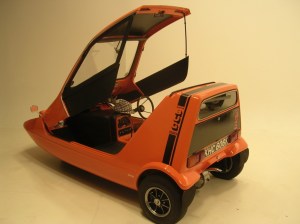 It was actually a pretty eye catching car for a three wheeler. It had no doors but the roof lifted up to gain access and the side windows were plastic held on by Velcro. I always remember bringing it home and showing it off to my family with a certain amount of pride and my Dad looking at it and saying “How are we all going to get into that?” Perhaps he thought I was going to take us all away for a holiday!

 OK, let’s get started. The first thing to remember about blogs is that a big wall of text tends to put off readers so it’s a good idea to break up the text with a few pictures. What kind of pictures though? Well in the blog posts themselves I’ll use either my own photos or use an online stock photo site like



 trickier. First the user has to upload pictures of the person you want to make an AI model of, in this case me, then you add a prompt to describe the picture you want. On Nightcafe and many other AI sites too, you can upload a picture and develop it. On Freepik you can hit the reimagine button and a different version of your picture will appear.
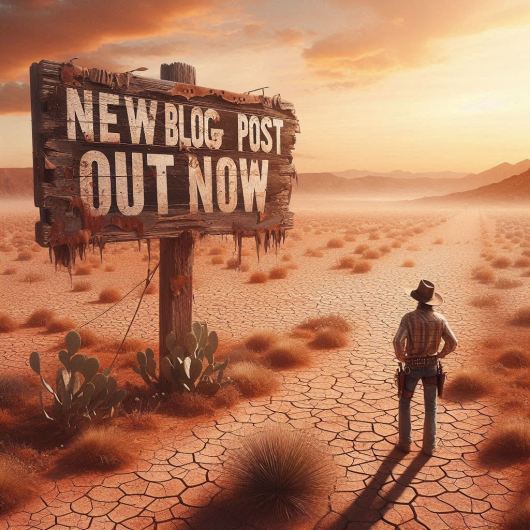
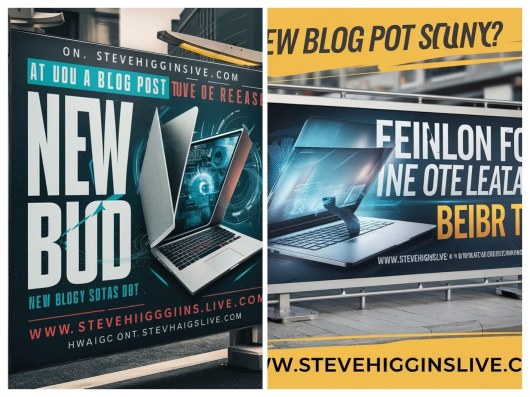 Both of the images above were supposed to say ‘New blog post out now!’ Oh well.
 OK, what AI image can I create now for my next social media post? What about an art gallery, perhaps seen from above? Light streams in dramatically from windows off to the side. It’s a wide angle shot, looking down. Art lovers are admiring a new poster advertising my blog. It should turn out something like this . .
 As usual on holiday I always come armed with a stash of books and this year is no exception. A few of the books are ones I have dug out of a box at home and are ones I haven’t read for a while. One of them was Toujours Provence, a sequel to the successful A Year in Provence by Peter Mayle.
 Charles Dickens is one of my writing heroes. He is a giant in the world of literature and the author of one of my favourite books of all time, David Copperfield. He was a man with an incredible imagination and was a prodigious producer of numerous books and stories. Many of his works are still loved and appreciated today and the magic of his story telling is also reflected in film and television adaptations of his work.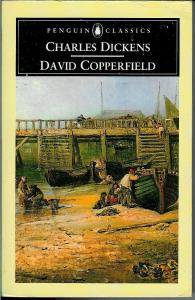

 I create a graphic for my blogs every week using various image or graphic sites. The easiest one to use is probably Quotescover.com. It’s a very simple site that combines text and images or just text if you prefer. In Quotescover, you can very simply add your quote or in my case, blog title, add a name or the name of your website and click create. You can choose what type of image you want, for instance for a social media post, for Pinterest, or for a Facebook cover or whatever, then you have a choice of image shape; portrait, landscape or square. After that keep clicking ‘next fonts’ until you get the font that you like.


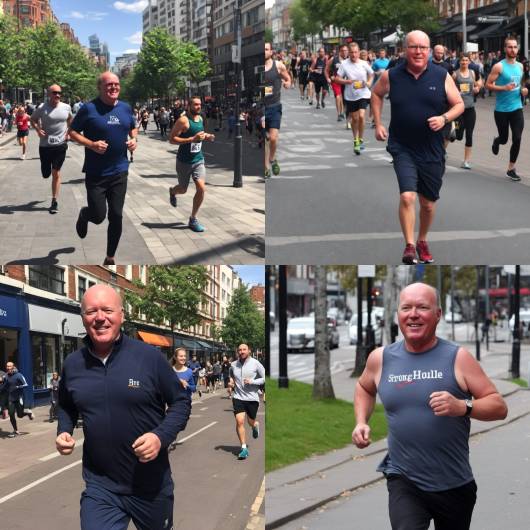
 The Prime of Miss Jean Brodie
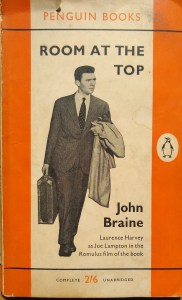 Room at the Top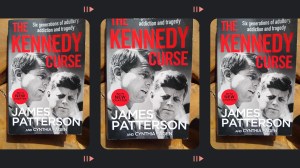
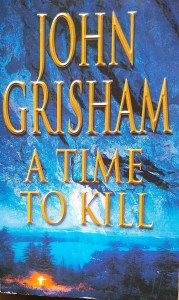 A Time to Kill by John Grisham
 Letters from an Unknown Author!